

1 / 10


$66.99-$99.99
Free shipping
Aula F75 MAX Wireless Mechanical Keyboard 75% Layout Hot Swappable RGB Backlit Gasket Design TFT Screen Knob for PC Mac Linux
Sold by AULA NEW Keyboards
4.8(81)
1.1K sold
Color:Please select
 F75MAX LightWire
 Gradient Gray
 Glacier Blue
 F75 Enchanted Keystroke
 F75 Black&yellow
 F75 cedar green
 F75 Blue&white
 F75 White Green(No Sreen)
Quantity:
About this shop
AULA NEW Keyboards
4.8
2046 Sold
2.2K+ Followers
99%24h response rate
89%Ships within 48h
92%Positive feedback
Reviews Purchased on TikTokQuality of work: 10/10
Material: 10/10
Assembly: 10/10
Comes with extra keys, a key puller, instructions on how to use every key bind since it’s a 75% with FN. sounds absolutely fantastic, puts every Clicky keyboard to shame.
Purchased on TikTokQuality of work: 10/10
Material: 10/10
Assembly: 10/10
Comes with extra keys, a key puller, instructions on how to use every key bind since it’s a 75% with FN. sounds absolutely fantastic, puts every Clicky keyboard to shame. Item: F75 Blue&whiteAugust 9, 2025
 Purchased on TikTokThe AULA F7 Max feels great to type on — the keys are smooth, responsive, and satisfying with every press. Build quality is solid and the RGB lighting looks awesome. It’s comfortable for gaming and typing, and definitely upgraded my setup. Highly recommended.Item: Gradient Gray1w agoPurchased on TikTok10/10 def worth it , it arrived quick and its very high quality would recommend it feels nice and sounds amazing and looks goodItem: F75 Blue&whiteJuly 16, 2025
4.881 global reviews
Jay
thenoobman98586
︎**︎
About the product
Details
| Brand | AULA |
| Dangerous Goods Or Hazardous Materials | No |
| Contains Batteries Or Cells? | None |
| Manufacturer | Aula |
| Model | F75/F75 MAX |
| Keyboard & Mouse Model | AULA F75/F75 MAX |
| Warranty Type | Manufacturer Warrenty |
Description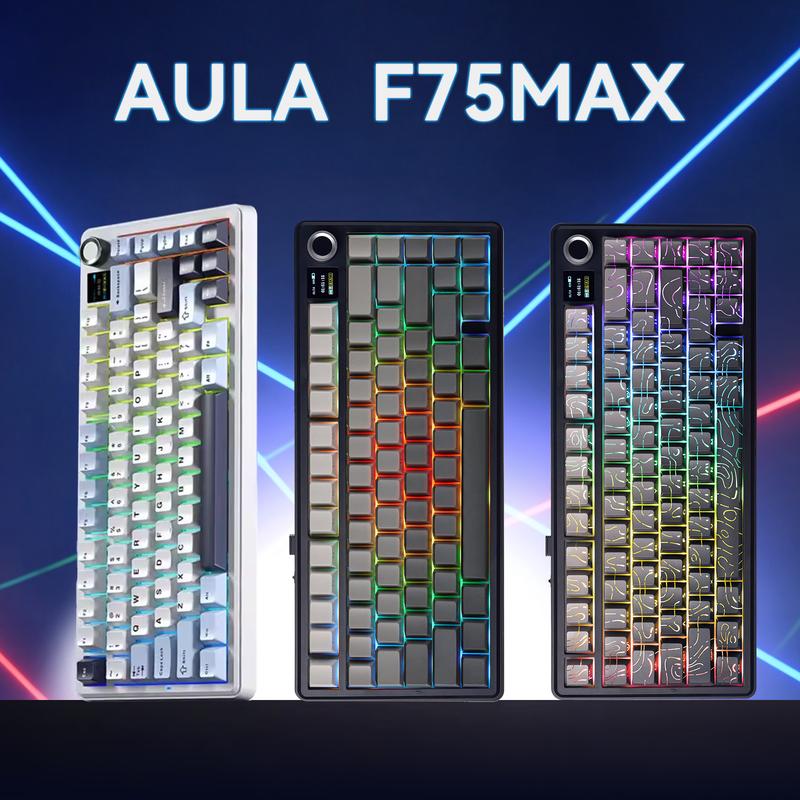
 Compact Size, Function Core: With 80 programmable keys and a customizable screen, the F75 Max upgrades from its successful predecessor EPOMAKER X Aula F75 with equal reliability and incredible new functions. Revel in the convenience the volume knob offers and enjoy the Gif-showing screen that makes Backlight customization fun and easy. With connectivity, battery monitor and indicator lights combined in one, the F75 Max keyboard with TFT smart display will be your inseparable helper and productivity booster in gaming and life
 Stylish and Ergonomic: Say goodbye to wrist strain and finger fatigue, as this Cherry-profile keyboard becomes your ergonomic assistant in browsing the digital world. With the 2cm-low front height and a 2-stage adjustable kickstand, typing angle can be as high or low as your comfort calls for. The Gasket-Mount structure separates F75 Max’s PCB from its shell to rid the harsh bottom-out, while the flex-cut PC plate gives it extra flexibility for soft and soothing typing
 Satisfying Creamy Sound: Indulge in the creamy smooth melody of F75 MAX, composed by the rhythmic thud of every keystroke. Factory-lubed and tuned, the stabilizers and linear switches sound as incredible as they feel, with the right amount of creamy and thocky combined. Full of foams and silicone sandwiched between plate, PCB and bottom case, noise caused by echo within the keyboard is eliminated, while the IXPE switch pad and PET pad highlight the mellow switch sound that’s rich and pleasant
 ·Versatile Gaming Keyboard: Game in style with this anti-ghosting keyboard that performs stably without double chattering or mistype in Bluetooth, 2.4Ghz wireless and cable mode, with 1000hz polling rate in USB and 2.4G modes. Its support of NKRO allows gamers to input multiple keys simultaneously, handy in FPS and Rhythm Games, while its compatibility with Android, Windows, Mac and Linux is valuable for programmers and clerks in the office
 ·Custom Keyboard with Compatibility: As personalization being our core branding, our F75 Max isn’t shy in the realm of customization. With south-facing per-key LEDs and light diffusers on the Reaper switches, the RGB Backlight shines brightly with pre-set dynamic effect, adjustable in color and style via software, screen and shortcut. The hot-swappable F75 MAX comes with plate-mount stabilizers but is compatible with 3/5-pin mechanical switches and screw-in stabilizers for experimenting typing feel and sound, while the software offers key remapping and macro editing for efficiency and accessibility
 2-in-1 Multifunction KnobGasket Structure + Five-Layer Padding + Plastic ShellThe F75 boasts a five-layer sound and shock-absorbing internal design, including two layers of Poron foam, an IXPE switch pad, a PET sound enhancement pad, and a bottom silicone pad. This sophisticated construction reduces typing noise and resonance, delivering a tranquil and focused typing environment.
 2-in-1 Multi-function Control KnobEquipped with a function knob to switch between Gaming Mode and Office Mode. In gaming mode, you can rotate the knob to adjust the brightness of the lights and click the knob to easily switch the lighting effects; in office mode, rotate the knob to adjust the volume and click the knob to play or pause.(Tips: Knob can't wake PC from sleep.)
5 Keyboard Indicator LightsCharging Indicator + Connection Mode + Operating System + Caps Lock + WIN LockPressing and holding "FN" can check the connection mode and operating system of the keyboardCharging Indicator: "FN+L_shfit" can switch the charging indicator light effect until it is turned offConnection Mode: ~`=2.4g wireless mode, 1/2/3=BT1/BT2/BT3 modeOS: Q=Android, W=Windows, E=MAC, Switching through FN+Q/W/E
2-in-1 Multi-function Control KnobEquipped with a function knob to switch between Gaming Mode and Office Mode. In gaming mode, you can rotate the knob to adjust the brightness of the lights and click the knob to easily switch the lighting effects; in office mode, rotate the knob to adjust the volume and click the knob to play or pause.(Tips: Knob can't wake PC from sleep.)
5 Keyboard Indicator LightsCharging Indicator + Connection Mode + Operating System + Caps Lock + WIN LockPressing and holding "FN" can check the connection mode and operating system of the keyboardCharging Indicator: "FN+L_shfit" can switch the charging indicator light effect until it is turned offConnection Mode: ~`=2.4g wireless mode, 1/2/3=BT1/BT2/BT3 modeOS: Q=Android, W=Windows, E=MAC, Switching through FN+Q/W/E Connectivity HubEasy to connect and switch modes. Comes with a type C keyboard cable, fast transmission speed, and durability.
 Ergonomic DesignThe two-step kickstand allows users to adjust the keyboard height to the desired angle.
 F75 Keyboard Check Battery LevelIn wireless mode, press "FN+B" at the same time to check the battery level.
 F75 Keyboard Close Battery LevePress "FN+L Shfit" to switch the charge indicator until the LED is off.
 Packing List·Keyboard * 1·English Manual * 1·Keyboard Cable * 1·Mechanical Switch * 2·Keycap Puller * 1·Q:How do you make the the knob adjust volume?·A:The knob has two functions, If you find that rotating the knob cannot adjust the volume. Long press the "knob" until the LEDs of the "Win" and "Caps Lock" keys flash 3 times, indicating a successful mode switch. Then you can adjust the volume·Q:Can you re-program the keys for Mac users?A:This keyboard is Mac and Windows compatible, but the driver only supports Windows, so Mac users will not be able to re-program the keys.
Compact Size, Function Core: With 80 programmable keys and a customizable screen, the F75 Max upgrades from its successful predecessor EPOMAKER X Aula F75 with equal reliability and incredible new functions. Revel in the convenience the volume knob offers and enjoy the Gif-showing screen that makes Backlight customization fun and easy. With connectivity, battery monitor and indicator lights combined in one, the F75 Max keyboard with TFT smart display will be your inseparable helper and productivity booster in gaming and lifeStylish and Ergonomic: Say goodbye to wrist strain and finger fatigue, as this Cherry-profile keyboard becomes your ergonomic assistant in browsing the digital world. With the 2cm-low front height and a 2-stage adjustable kickstand, typing angle can be as high or low as your comfort calls for. The Gasket-Mount structure separates F75 Max’s PCB from its shell to rid the harsh bottom-out, while the flex-cut PC plate gives it extra flexibility for soft and soothing typingSatisfying Creamy Sound: Indulge in the creamy smooth melody of F75 MAX, composed by the rhythmic thud of every keystroke. Factory-lubed and tuned, the stabilizers and linear switches sound as incredible as they feel, with the right amount of creamy and thocky combined. Full of foams and silicone sandwiched between plate, PCB and bottom case, noise caused by echo within the keyboard is eliminated, while the IXPE switch pad and PET pad highlight the mellow switch sound that’s rich and pleasant·Versatile Gaming Keyboard: Game in style with this anti-ghosting keyboard that performs stably without double chattering or mistype in Bluetooth, 2.4Ghz wireless and cable mode, with 1000hz polling rate in USB and 2.4G modes. Its support of NKRO allows gamers to input multiple keys simultaneously, handy in FPS and Rhythm Games, while its compatibility with Android, Windows, Mac and Linux is valuable for programmers and clerks in the office·Custom Keyboard with Compatibility: As personalization being our core branding, our F75 Max isn’t shy in the realm of customization. With south-facing per-key LEDs and light diffusers on the Reaper switches, the RGB Backlight shines brightly with pre-set dynamic effect, adjustable in color and style via software, screen and shortcut. The hot-swappable F75 MAX comes with plate-mount stabilizers but is compatible with 3/5-pin mechanical switches and screw-in stabilizers for experimenting typing feel and sound, while the software offers key remapping and macro editing for efficiency and accessibility2-in-1 Multifunction KnobGasket Structure + Five-Layer Padding + Plastic ShellThe F75 boasts a five-layer sound and shock-absorbing internal design, including two layers of Poron foam, an IXPE switch pad, a PET sound enhancement pad, and a bottom silicone pad. This sophisticated construction reduces typing noise and resonance, delivering a tranquil and focused typing environment.2-in-1 Multi-function Control KnobEquipped with a function knob to switch between Gaming Mode and Office Mode. In gaming mode, you can rotate the knob to adjust the brightness of the lights and click the knob to easily switch the lighting effects; in office mode, rotate the knob to adjust the volume and click the knob to play or pause.(Tips: Knob can't wake PC from sleep.)
5 Keyboard Indicator LightsCharging Indicator + Connection Mode + Operating System + Caps Lock + WIN LockPressing and holding "FN" can check the connection mode and operating system of the keyboardCharging Indicator: "FN+L_shfit" can switch the charging indicator light effect until it is turned offConnection Mode: ~`=2.4g wireless mode, 1/2/3=BT1/BT2/BT3 modeOS: Q=Android, W=Windows, E=MAC, Switching through FN+Q/W/EConnectivity HubEasy to connect and switch modes. Comes with a type C keyboard cable, fast transmission speed, and durability.Ergonomic DesignThe two-step kickstand allows users to adjust the keyboard height to the desired angle.F75 Keyboard Check Battery LevelIn wireless mode, press "FN+B" at the same time to check the battery level.F75 Keyboard Close Battery LevePress "FN+L Shfit" to switch the charge indicator until the LED is off.Packing List·Keyboard * 1·English Manual * 1·Keyboard Cable * 1·Mechanical Switch * 2·Keycap Puller * 1·Q:How do you make the the knob adjust volume?·A:The knob has two functions, If you find that rotating the knob cannot adjust the volume. Long press the "knob" until the LEDs of the "Win" and "Caps Lock" keys flash 3 times, indicating a successful mode switch. Then you can adjust the volume·Q:Can you re-program the keys for Mac users?A:This keyboard is Mac and Windows compatible, but the driver only supports Windows, so Mac users will not be able to re-program the keys.
Similar Items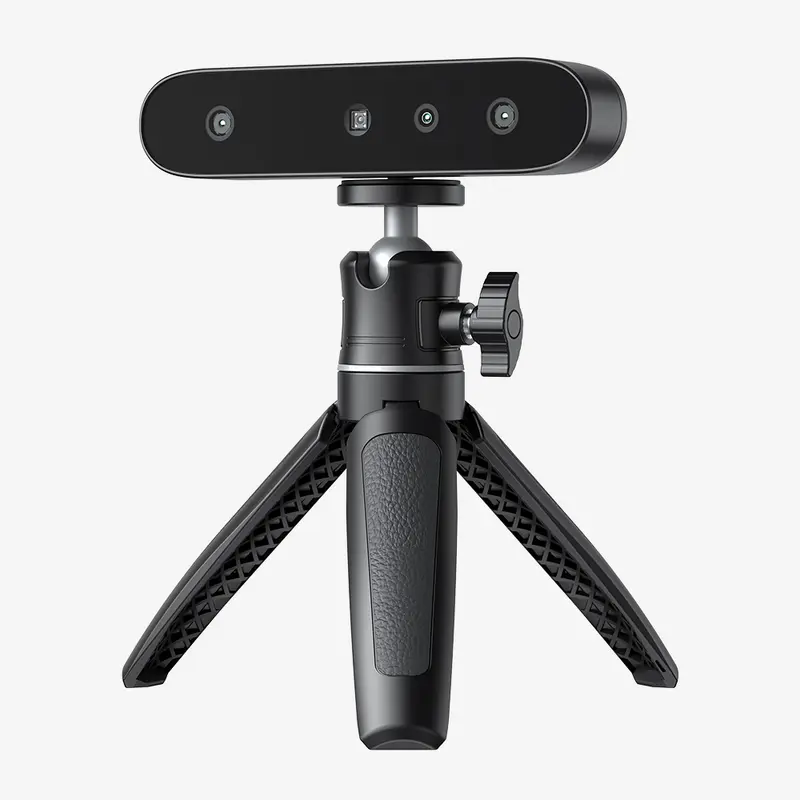







Creality official
Creality CR-Ferret SE 3D Scanner - Cost-effective 3D Scanners for Beginners
Free shipping
4
2.2K sold$169.00
$319.00
UGREEN.US
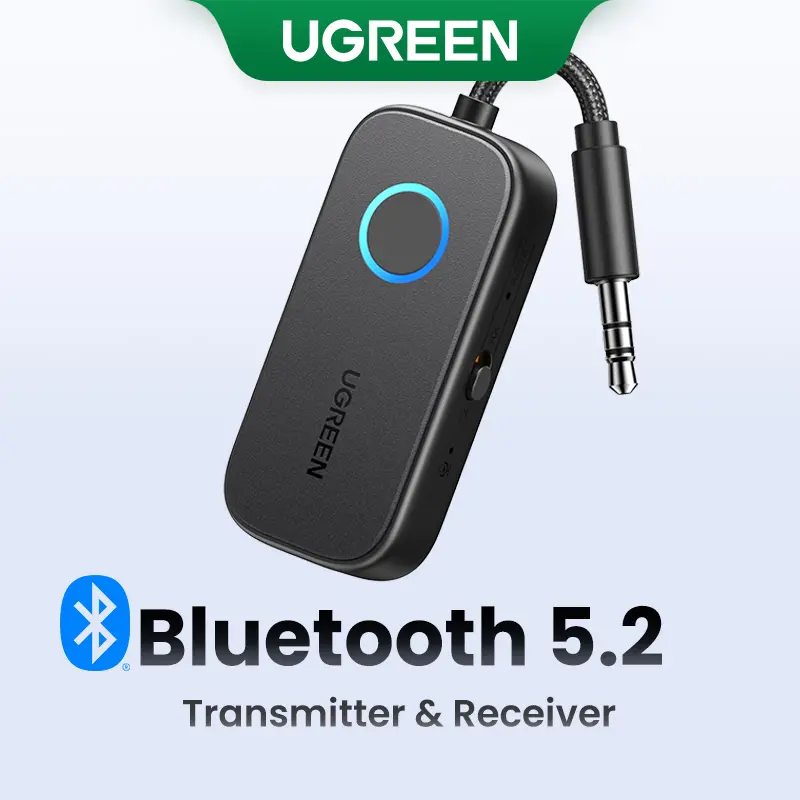
UGREEN Bluetooth 5.2 3.5mm Audio Transmitter/Receiver Adapter for Airpods or Headphones, for Flight, TV, Car Stereo, MP3 Headset Microphone-TikTokShopBlackFriday ,TikTokShopHolidayHaul
Free shipping
4.4
2.9K sold$17.99
$23.99


dot. cards
dot. Band - Digital Business Card - Tap to Share NFC - iPhone & Android Wearable
4.4
37.3K sold$18.91
$30.00HUANUO Global
HUANUO Dual Monitor Arm Adjustable Gas Spring Monitor mount for Gaming and Home Office Setups, Monitor Arm hold up to 30" with 19.8 lbs Max Weight and C-Clamp or Grommet Hole Mounting
Free shipping
4.6
109.9K sold$36.99
$59.99
HUANUO Global
HUANUO Supports 13-32″ screens, up to 19.8 lbs per arm. Features built-in C-clamp, enhanced stability, and upgraded cable management. VESA 75x75mm/100x100mm compatible. Black finish.
Free shipping
4.7
13.3K sold$49.99
$69.99Hachette Book Group
Harry Potter Collectible Quidditch Set (Includes Removeable Golden Snitch!)
Free shipping
4.8
722 sold$43.95
Mr Pen Store
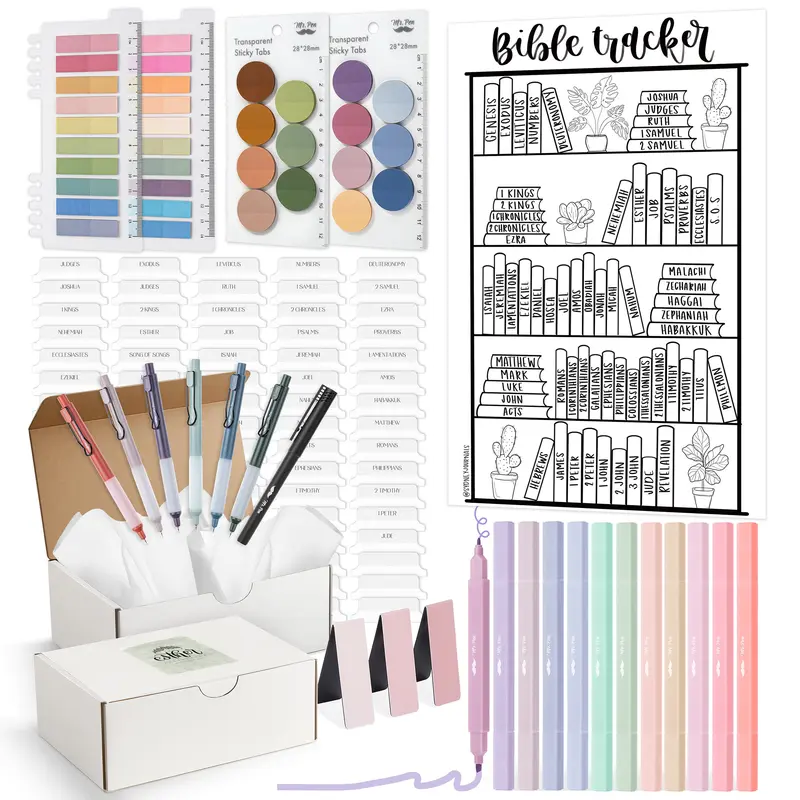
Mr. Pen Esther Bible Journaling Kit with 12 Dual Tip Highlighters, 6 .5mm Pens, Magnetic Bookmarks, Sticky Notes, & Bible Tabs
Free shipping
4.7
2.2K sold$29.99
$38.99Mr Pen Store
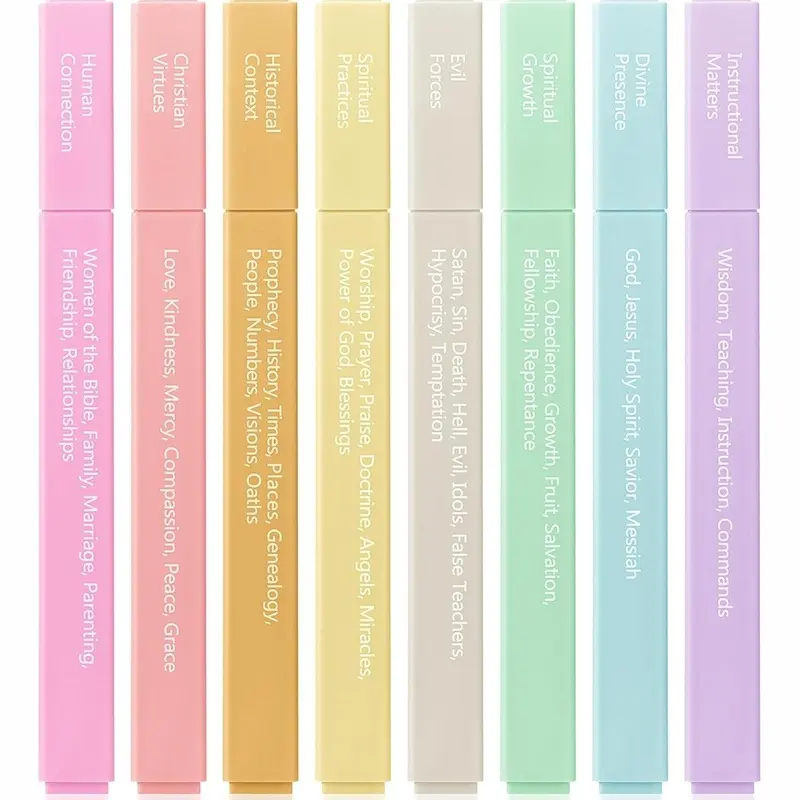
Mr. Pen - Bible Highlighters with Color-Coding System 8 Pack Soft Pastel Aesthetic Highlighters Assorted Colors for Studying Note-Taking and Journaling
Free shipping
4.7
4.1K sold$8.99
$11.99


Moleskine
Moleskine Limited Edition NASA-inspired 'Moon surface' Notebook, Hard Cover, Large (5" x 8.25"), Ruled/Lined, Light Grey, 176 pages
Free shipping
5
144 sold$31.00

View more
TikTok Shop promo codesAbout TikTok ShopSeller centerContact usCareersAffiliateHelp centerSafety centerCommunity guidelinesPrivacy policyTransparencyAccessibility
Free shipping
New customer deals


Shop now in app