

1 / 10


$67.99-$74.99
Free shipping
Aula F75 MAX Wireless Mechanical Keyboard with TFT Screen and Knob, Gasket Gaming Keyboard in 75% Layout, Hot Swappable, RGB Backlight, for PC/Mac/Linux (Reaper Switch)
Sold by Aula KeyLabs
4.9(8)
38 sold
Color:Please select
 Blue&White&Purple
 Black Gradient
 Black Alpine Strike
 F75 Cedar Green(No Sreen)
 F75 Black&Yellow(No Sreen)
 F75 Glacial Blue(No Sreen)
 F75 White Green(No Sreen)
Quantity:
About this shop
Aula KeyLabs
4.7
2069 Sold
500+ Followers
93%24h response rate
86%Ships within 48h
93%Positive feedback
Reviews Purchased on TikTokamazing creamy keyboard that preforms flawlessly, runs with no delay and has solid build quality and material
 Item: Black GradientAugust 15, 2025
 Purchased on TikTokBest keyboard I ever owned. Great quality keyboard!Item: Black GradientDecember 31, 2025
 Purchased on TikTokGreat productItem: DefaultJuly 23, 2025
4.98 global reviews
Melo😛
KevinPullzzz
Mikey
About the product
Details
| Brand | AULA |
| Dangerous Goods Or Hazardous Materials | No |
| Contains Batteries Or Cells? | None |
| Battery Capacity(Mah) | 4000 |
Description
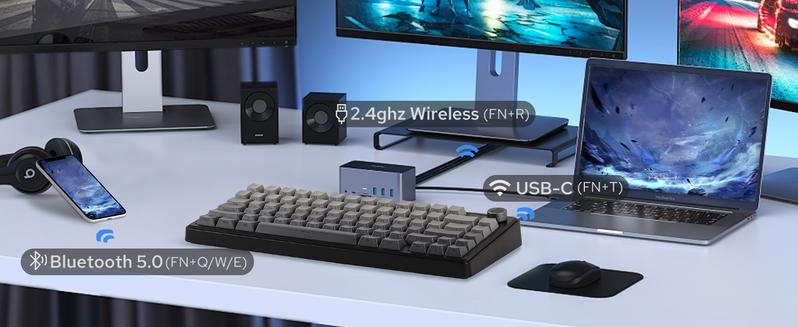




 Showcasing Sound, Software, RGB Backlight, Connection & PackageTriple Mode, Triple ConvenienceImmerse in continuous gaming sessions with no debuff from low-battery nor interruptions from charging, and relish in the versatile compatibility of the F75 MAX keyboard that connects to up to 5 devices simultaneously.1st Time Pairing: 1). Toggle mode switch to BT or 2.4G. 2). Pressing FN+Q/W/E or FN+R until the flash quicken from slow to rapid. 3). Connect on PC or plug dongle to PC.Connect to Paired Devices: 1). Toggle mode switch to BT or 2.4G. 2). Tap FN+Q/W/E or FN+R once.
 South-Facing Per-Key LEDsCustom RGB BacklightAs personalization is our core branding, our F75 Max isn’t shy in the realm of customization. With south-facing per-key LEDs and light diffusers on the Reaper switches, the RGB Backlight shines brightly with dozens of pre-set dynamic effects, adjustable in color and style via software, screen, and shortcut.·FN+\|=Light Effect;·FN+TAB=Light Color; FN+: Brightness and Speed.·Or, use FN+Knob to Get Knob into Screen Mode for Customization.
 Windows System OnlyProgramming SoftwareConfigure as your needs call for, with the powerful software that supports individual key remaps, macro recording, combo editing, RGB adjustment, sensitivity setting, and more.·Tips: To connect to the software, please keep the keyboard wired and in USB mode. Search "F75 MAX Software“ to get access.
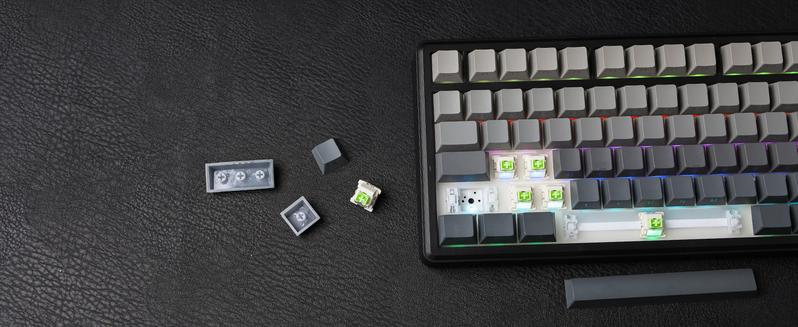
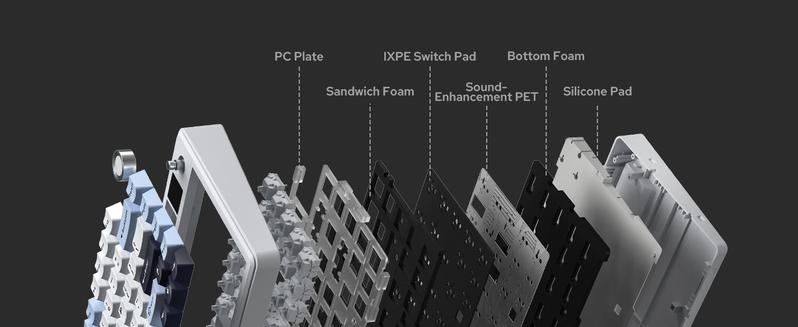
 LEOBOG Reaper SwitchFinely Lubed & TunedIndulge in the creamy, smooth melody of F75 MAX, composed by the rhythmic thud of every keystroke. Factory lubed and tuned, the stabilizers and linear switches sound as incredible as they feel, with the right amount of creamy and thockey combined.·LEOBOG Reaper Switch: 5-pin Linear switch with Light diffuser. Force: 45/55gf. Travel: 1.8/3.6mm.
 Package Content·1* F75 MAX Mechanical Keyboard·1* 2-in-1 Switch-and-Keycap Puller; 2* Extra Switches·1* Detachable Cable; 1* 2.4Ghz wireless dongle (stored on keyboard)·1*Quick Start Guide; 1*Multilingual Manual
 Q:How can I toggle the screen with knob? How to turn the volume up/down with knob?A:The dual-function knob can be used to toggle volume or the screen. Press FN+KNOB once to switch between these two modes. Once knob is in screen mode, you can turn the knob to slide through pages and press the knob to confirm.Q:What're the meaning of all the signs on F75 Max's screen?A:The info page on the screen has 5 signs at the bottom telling keyboard's status. From left to right, each of them means: Mac/WIN layout, keyboard's connection status, WIN-Lock, Caps-Lock and Num-Lock status.Q:Does the F75 MAX keyboard have RGB Backlight?A:Yes the F75 MAX Keyboard support dynamic and still backlight in individual colors and RGBs.Q:Is the F75 MAX keyboard good for Mac?A:The F75 MAX keyboard is compatible with WIN, MAC, Android and Linux Systems. The software is only available for Windows system, but keyboard has on-board memory so the settings saved can be used on other systems.
Showcasing Sound, Software, RGB Backlight, Connection & PackageTriple Mode, Triple ConvenienceImmerse in continuous gaming sessions with no debuff from low-battery nor interruptions from charging, and relish in the versatile compatibility of the F75 MAX keyboard that connects to up to 5 devices simultaneously.1st Time Pairing: 1). Toggle mode switch to BT or 2.4G. 2). Pressing FN+Q/W/E or FN+R until the flash quicken from slow to rapid. 3). Connect on PC or plug dongle to PC.Connect to Paired Devices: 1). Toggle mode switch to BT or 2.4G. 2). Tap FN+Q/W/E or FN+R once.South-Facing Per-Key LEDsCustom RGB BacklightAs personalization is our core branding, our F75 Max isn’t shy in the realm of customization. With south-facing per-key LEDs and light diffusers on the Reaper switches, the RGB Backlight shines brightly with dozens of pre-set dynamic effects, adjustable in color and style via software, screen, and shortcut.·FN+\|=Light Effect;·FN+TAB=Light Color; FN+: Brightness and Speed.·Or, use FN+Knob to Get Knob into Screen Mode for Customization.Windows System OnlyProgramming SoftwareConfigure as your needs call for, with the powerful software that supports individual key remaps, macro recording, combo editing, RGB adjustment, sensitivity setting, and more.·Tips: To connect to the software, please keep the keyboard wired and in USB mode. Search "F75 MAX Software“ to get access.LEOBOG Reaper SwitchFinely Lubed & TunedIndulge in the creamy, smooth melody of F75 MAX, composed by the rhythmic thud of every keystroke. Factory lubed and tuned, the stabilizers and linear switches sound as incredible as they feel, with the right amount of creamy and thockey combined.·LEOBOG Reaper Switch: 5-pin Linear switch with Light diffuser. Force: 45/55gf. Travel: 1.8/3.6mm.Package Content·1* F75 MAX Mechanical Keyboard·1* 2-in-1 Switch-and-Keycap Puller; 2* Extra Switches·1* Detachable Cable; 1* 2.4Ghz wireless dongle (stored on keyboard)·1*Quick Start Guide; 1*Multilingual ManualQ:How can I toggle the screen with knob? How to turn the volume up/down with knob?A:The dual-function knob can be used to toggle volume or the screen. Press FN+KNOB once to switch between these two modes. Once knob is in screen mode, you can turn the knob to slide through pages and press the knob to confirm.Q:What're the meaning of all the signs on F75 Max's screen?A:The info page on the screen has 5 signs at the bottom telling keyboard's status. From left to right, each of them means: Mac/WIN layout, keyboard's connection status, WIN-Lock, Caps-Lock and Num-Lock status.Q:Does the F75 MAX keyboard have RGB Backlight?A:Yes the F75 MAX Keyboard support dynamic and still backlight in individual colors and RGBs.Q:Is the F75 MAX keyboard good for Mac?A:The F75 MAX keyboard is compatible with WIN, MAC, Android and Linux Systems. The software is only available for Windows system, but keyboard has on-board memory so the settings saved can be used on other systems.Similar Items





Creality official
Creality CR-Ferret SE 3D Scanner - Cost-effective 3D Scanners for Beginners
Free shipping
4
2.2K sold$169.00
$319.00
UGREEN.US
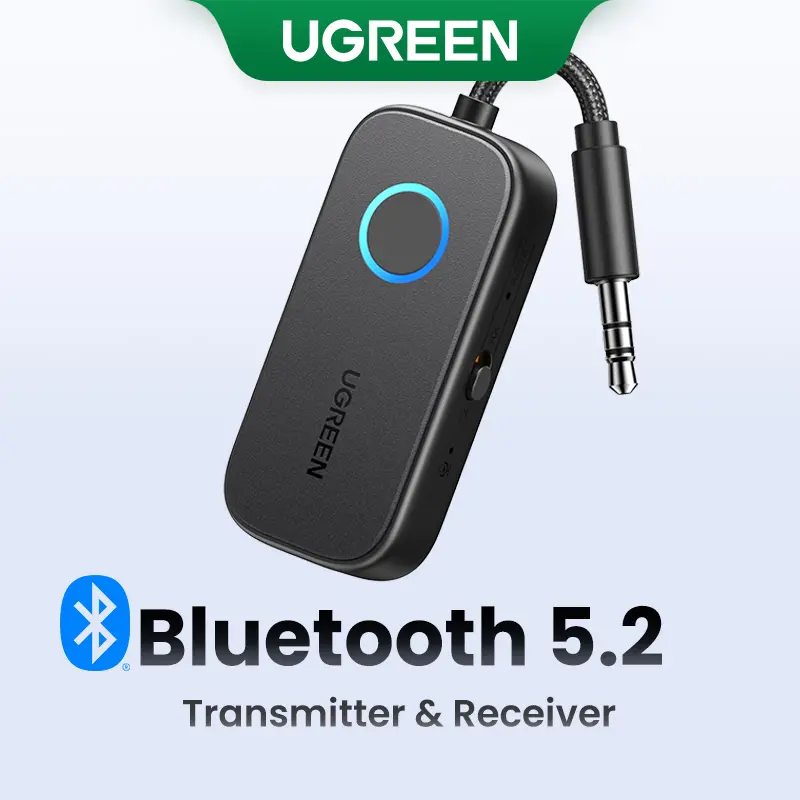
UGREEN Bluetooth 5.2 3.5mm Audio Transmitter/Receiver Adapter for Airpods or Headphones, for Flight, TV, Car Stereo, MP3 Headset Microphone-TikTokShopBlackFriday ,TikTokShopHolidayHaul
Free shipping
4.4
2.9K sold$17.99
$23.99


dot. cards
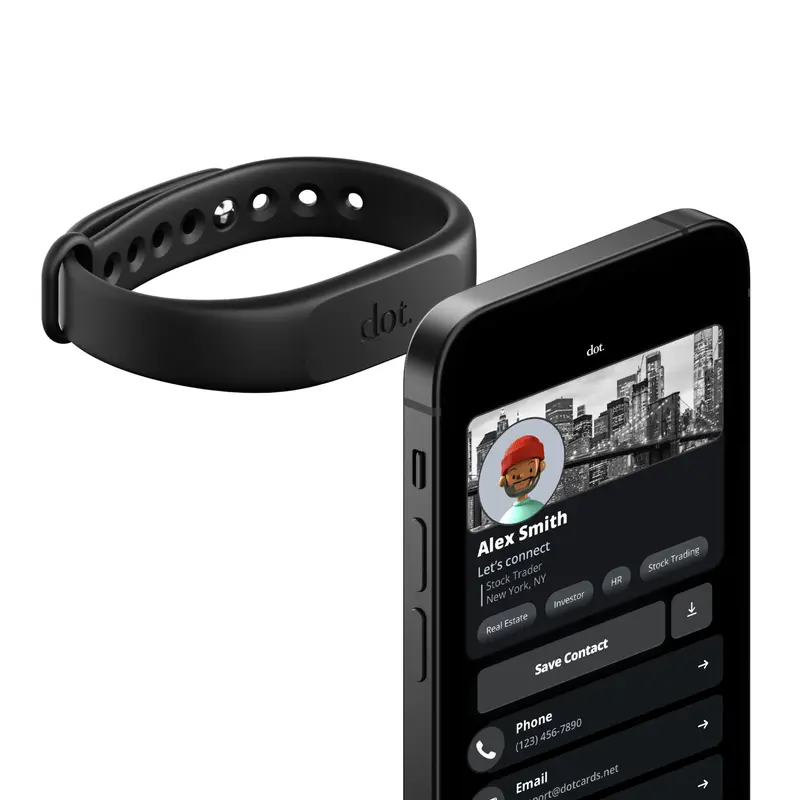
dot. Band - Digital Business Card - Tap to Share NFC - iPhone & Android Wearable
4.4
37.3K sold$18.91
$30.00HUANUO Global
HUANUO Dual Monitor Arm Adjustable Gas Spring Monitor mount for Gaming and Home Office Setups, Monitor Arm hold up to 30" with 19.8 lbs Max Weight and C-Clamp or Grommet Hole Mounting
Free shipping
4.6
109.9K sold$36.99
$59.99
HUANUO Global
HUANUO Supports 13-32″ screens, up to 19.8 lbs per arm. Features built-in C-clamp, enhanced stability, and upgraded cable management. VESA 75x75mm/100x100mm compatible. Black finish.
Free shipping
4.7
13.3K sold$49.99
$69.99Hachette Book Group
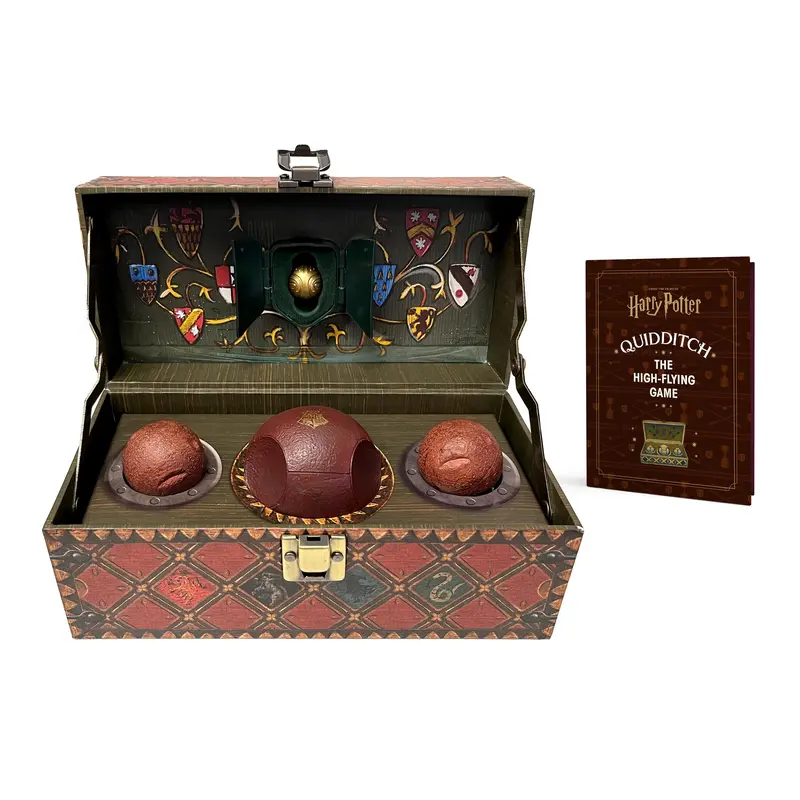
Harry Potter Collectible Quidditch Set (Includes Removeable Golden Snitch!)
Free shipping
4.8
722 sold$43.95
Mr Pen Store
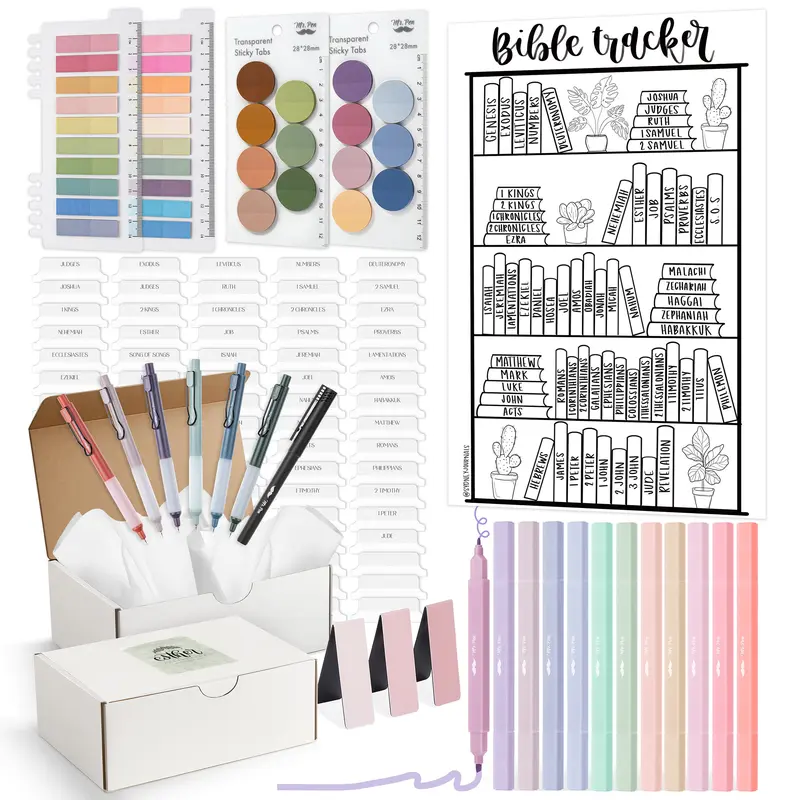
Mr. Pen Esther Bible Journaling Kit with 12 Dual Tip Highlighters, 6 .5mm Pens, Magnetic Bookmarks, Sticky Notes, & Bible Tabs
Free shipping
4.7
2.2K sold$29.99
$38.99Mr Pen Store
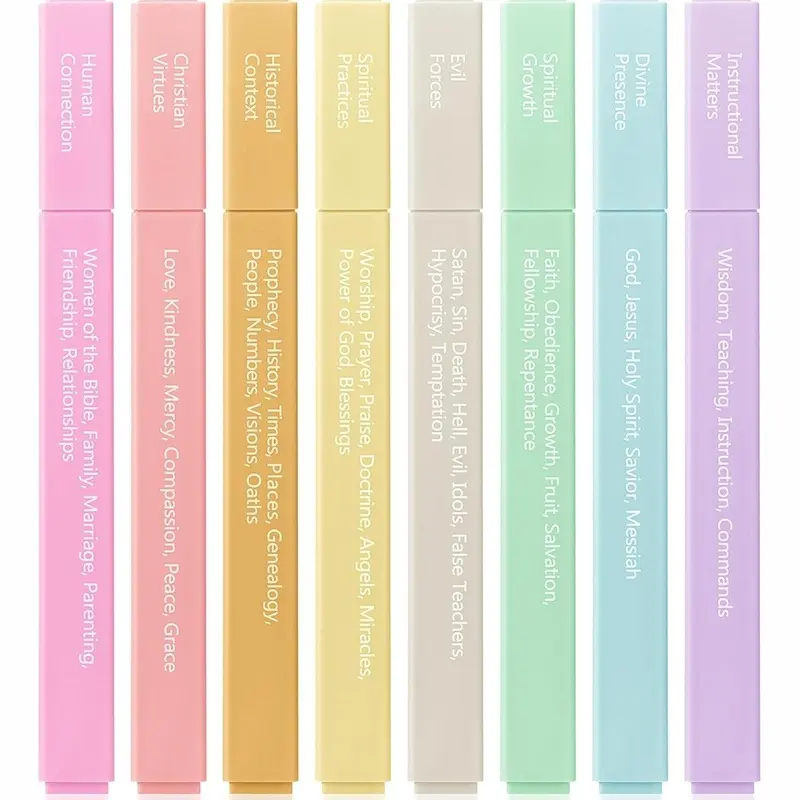
Mr. Pen - Bible Highlighters with Color-Coding System 8 Pack Soft Pastel Aesthetic Highlighters Assorted Colors for Studying Note-Taking and Journaling
Free shipping
4.7
4.1K sold$8.99
$11.99


Moleskine
Moleskine Limited Edition NASA-inspired 'Moon surface' Notebook, Hard Cover, Large (5" x 8.25"), Ruled/Lined, Light Grey, 176 pages
Free shipping
5
144 sold$31.00

View more
TikTok Shop promo codesAbout TikTok ShopSeller centerContact usCareersAffiliateHelp centerSafety centerCommunity guidelinesPrivacy policyTransparencyAccessibility
Free shipping
New customer deals


Shop now in app